Introduction to VirtUI Manager
VM management from the terminal.
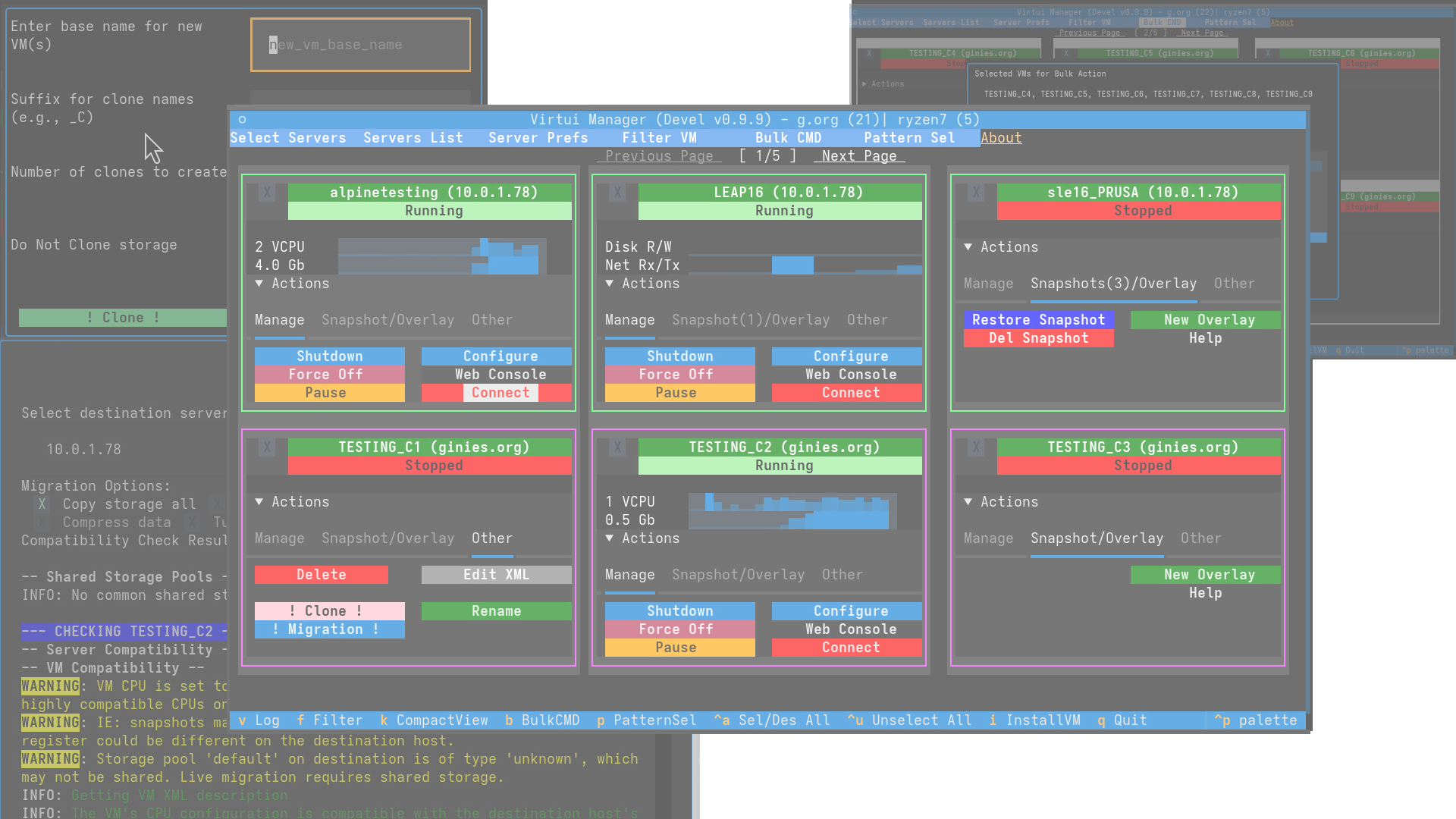
VirtUI Manager is a TUI for managing QEMU/KVM VMs via libvirt. Keyboard-centric, no X11 required.
Why VirtUI Manager?
Managing virtual infrastructure often involves a trade-off between convenience and accessibility. Traditional tools often come with significant drawbacks:
- GUI tools (virt-manager) offer great visualization but require X11 forwarding or a heavy desktop environment, which is slow and resource-intensive over remote connections.
- Web interfaces (Cockpit) can be complex to deploy, feature-incomplete, or lack robust multi-hypervisor support.
- CLI tools (virsh) are fast but lack the overview and ease of use required for complex management tasks.
VirtUI Manager solves these challenges by providing a lightweight, fast, and feature-rich interface that runs entirely in the terminal.
- Actions Menu: Streamlined "Actions" menu with context-aware options.
- Bulk Operations: Execute commands across multiple VMs with regex patterns and group filters.
- Migration: Migrate workloads between servers. Handles storage, snapshots, and overlays.
- No X11 Required: Runs on headless servers and over SSH.
Key Features
🚀 Performance & Architecture
- Event-Driven UI: Uses libvirt events for real-time updates.
- Smart Caching: Metadata caching reduces API load.
- Multi-Server View: Manage multiple libvirt servers in one dashboard.
VM Control
- Configuration: Tweak CPU, memory, storage, and networking.
- State Mastery: Full support for snapshots and external disk overlays. Branch your VM states or revert changes with confidence.
- Host Info: Monitor host resources and hardware details (NUMA, CPU topology, cache).
📦 Provisioning
- Provisioning: Streamlined installation with intelligent defaults, UEFI support, and hardware detection.
- Automated Provisioning: Take deployment to the next level with full automated installation support (Debian, Ubuntu, Fedora, Arch Linux, Alpine, openSUSE/SLES), template management, and intelligent auto-prefill.
- Instant Cloning: Scale out instantly with advanced VM cloning, including auto-provisioning of storage.
🖥️ Remote & Advanced Access
- VirtUI Remote Viewer: A custom-built, native graphical viewer for VNC/SPICE consoles with support for USB redirection, real-time log monitoring, and snapshot management.
- Secure Web Console: Integrated
noVNCsupport via websockify for browser-based access, even over SSH tunnels. - Tmux Integration: Multitasking by launching text consoles in separate Tmux windows.
- Command Line Interface: Power users can leverage
vmanager_cmd, a dedicated shell-like CLI for rapid management and automated pipelines.
Comparison
| Feature | VirtUI Manager | Virt-Manager | Virsh (CLI) | Cockpit |
|---|---|---|---|---|
| Interface | TUI / GUI (GTK) | GUI (GTK) | CLI (Text) | Web UI |
| Remote via SSH | ✅ Excellent | ⚠️ Slow (X11) | ✅ Excellent | ❌ Setup required |
| Headless Support | ✅ Native | ❌ No | ✅ Native | ✅ Native |
| Multi-Server | ✅ Yes | ✅ Yes | ✅ Yes | ✅ Yes |
| Resource Usage | 🟢 Low | 🔴 High | 🟢 Lowest | 🟡 Medium |
| Installation | 🟢 Simple (Python) | 🟡 Medium | 🟢 Pre-installed | 🔴 Complex |
Getting Started
Ready to take control of your virtualization infrastructure?
- Check the Installation Guide to get set up.
- Explore the Main Window to understand the interface.
- Try the GUI Console for a modern tabbed experience.
- Learn about VM Configuration to tune your machines.